![Logo black transparent background.png]](https://help.eventtia.com/hs-fs/hubfs/Logo%20black%20transparent%20background.png?height=40&name=Logo%20black%20transparent%20background.png)
Step 1
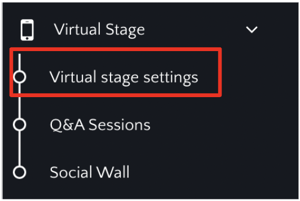
- Go the Virtual Stage module and click on the "Virtual Stage Settings"
Step 2
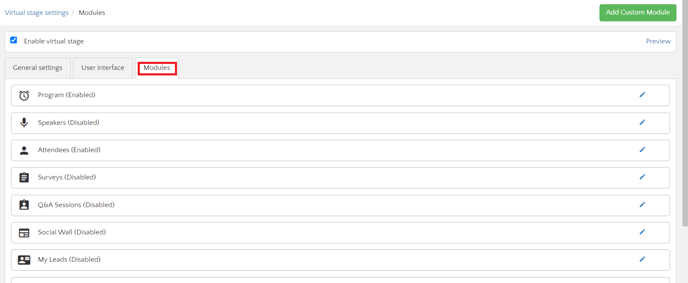
- Go to the "Modules" tab
Step 3
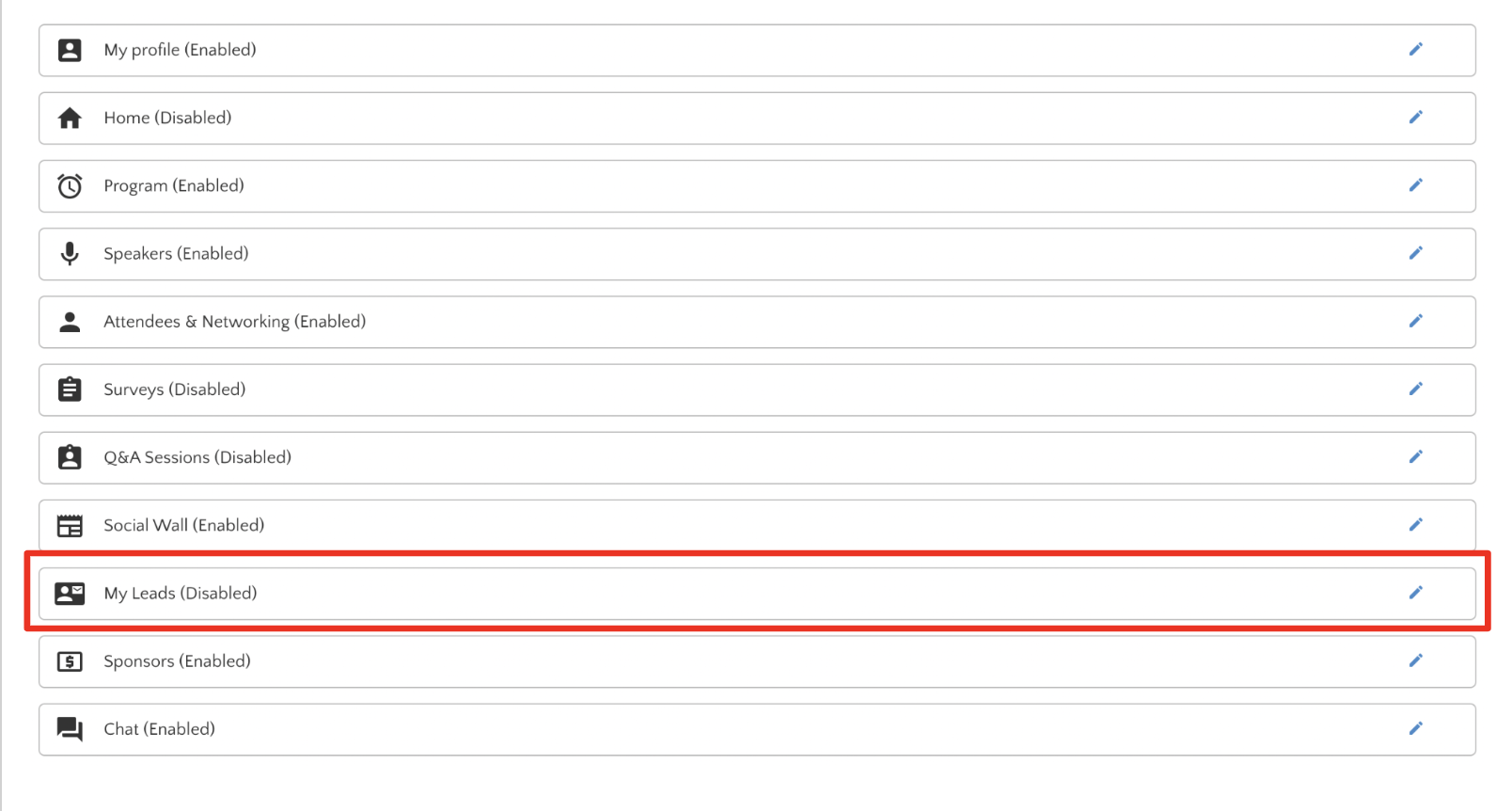
- Look for the "My Leads" module and click on the blue pencil to edit
Step 4
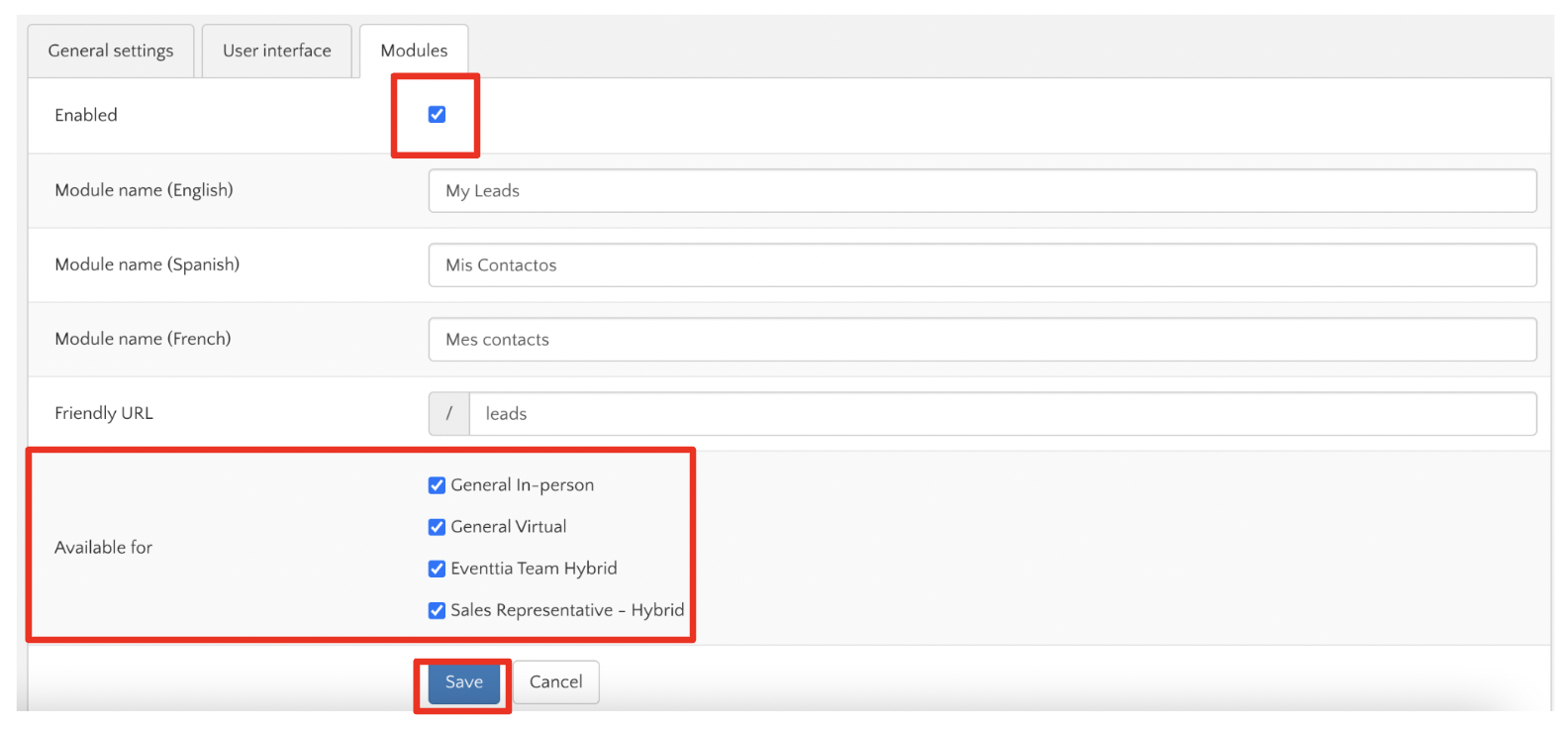
- Enable the module, select the Participant Types you want this module to be available for and then click "Save"
Step 5
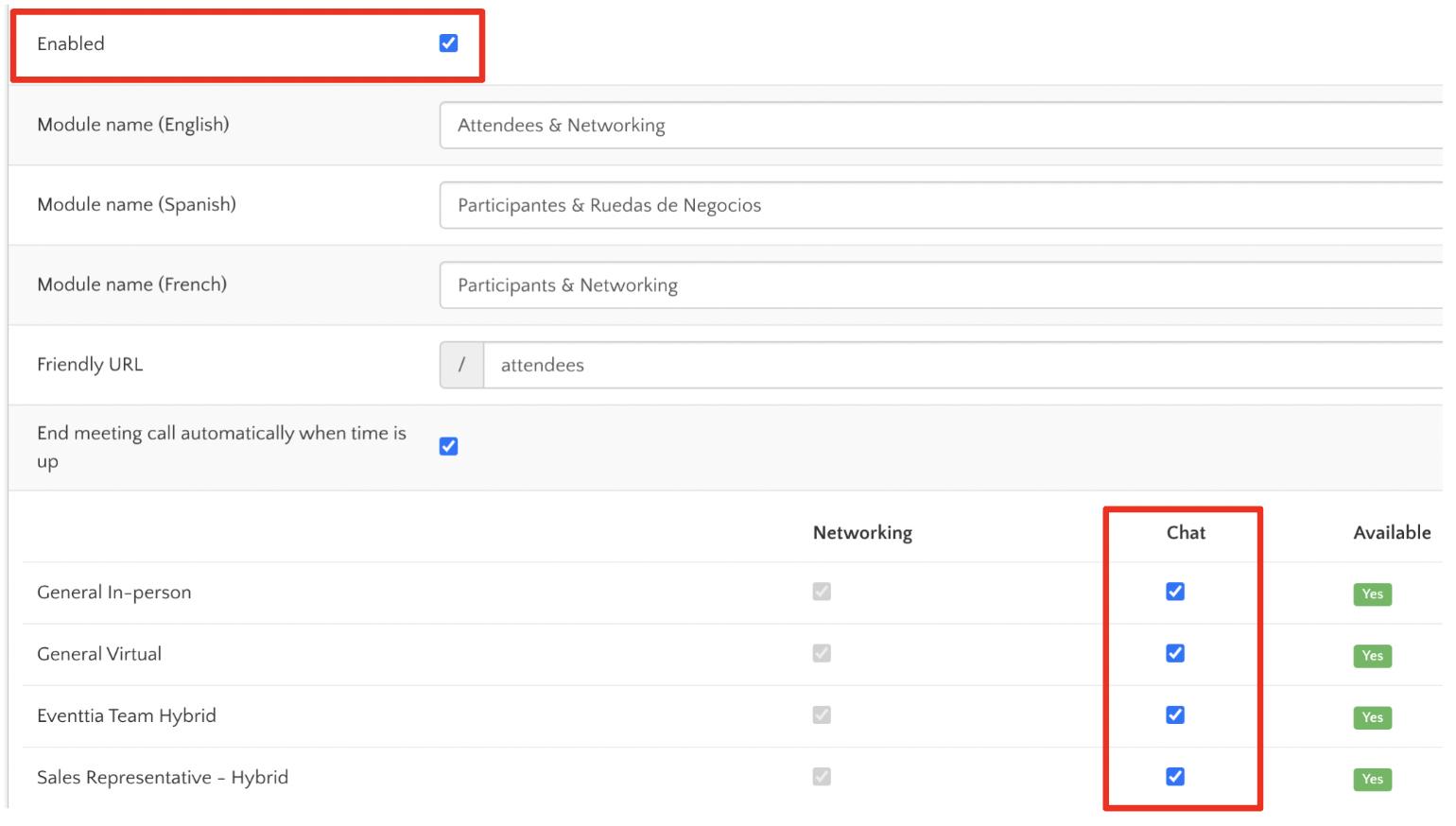
- Make sure you have the "Attendees & Networking" module enabled and the "Chat" option available for all the participant types you want the "Leads" module to be available for
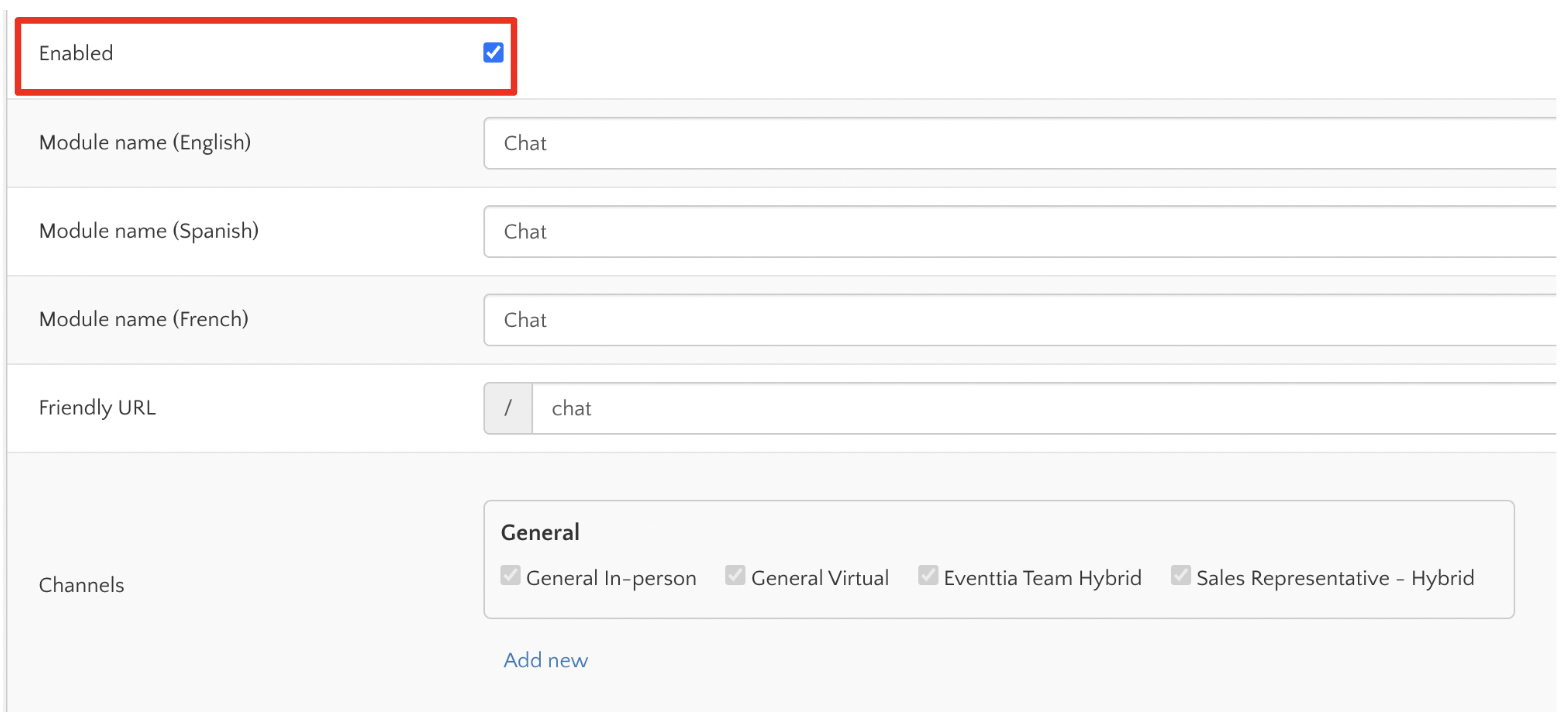
- Make sure you have the "Chat" module enabled
For an in-person event the module is going to be available inside the Mobile App click here to see how it works , for virtual events on the Virtual Stage click here to see how it works