![Logo black transparent background.png]](https://help.eventtia.com/hs-fs/hubfs/Logo%20black%20transparent%20background.png?height=40&name=Logo%20black%20transparent%20background.png)
Step 1.
- Go to the module Communications.
-
Choose the message you would like to analyze by clicking the three dots located in the upper right corner of each card, then click on "View statistic"

Step 2.
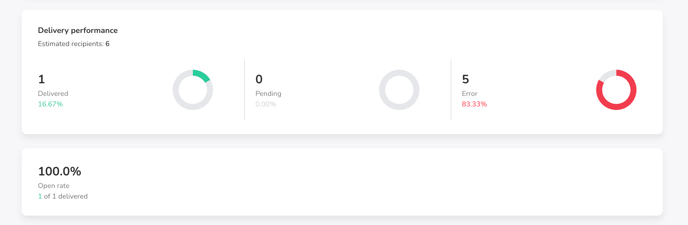
After sending your mass mailing, you will be redirected to the Delivery performance section. This view gives you a complete overview of how your emails were delivered and interacted with.
At the top of the page, you will find:
-
Estimated recipients: The total number of recipients targeted by the campaign.
-
Delivered: Emails successfully delivered to recipients.
-
Pending: Emails that are still being processed.
-
Error: Emails that failed to be delivered.
-
Open rate: The percentage of delivered emails that have been opened.
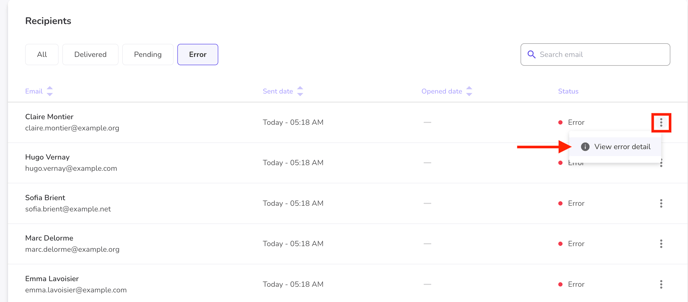
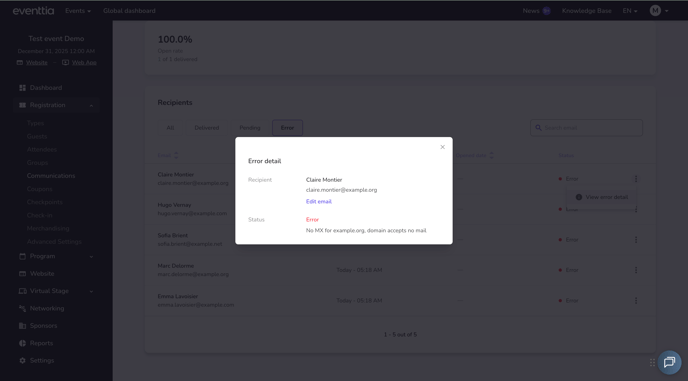
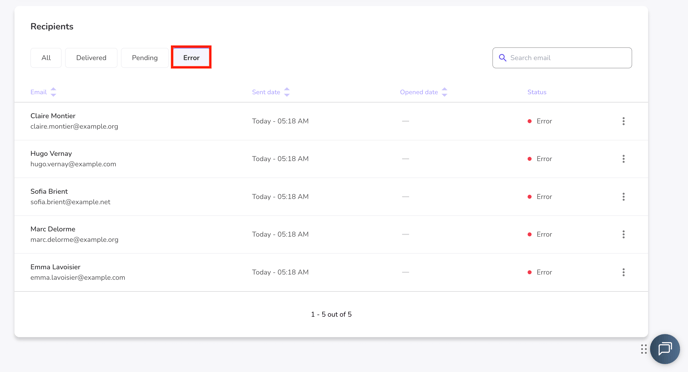
- To quickly access sending errors, navigate to the "With errors" tab. Here, you will find a comprehensive list of all messages that encountered sending issues, along with details on the specific types of errors for each message.
To minimize the chances of encountering bounced emails, we recommend reading the following article: How to Customize the Sender Email Address in Eventtia.
- Correct the misspelled email address : You can now edit the email address that was incorrect (misspelled or mistyped) before resending it.